Apple has finally released macOS Tahoe 26.2, alongside iOS 26.2 and iPadOS 26.2, bringing significant updates to its ecosystem after months of waiting. The new version of macOS addresses a long-awaited feature related to Liquid Glass, while FaceTime has been improved with an illumination frame around video windows for better image quality in dim environments. Additionally, iOS 26.2 and iPadOS 26.2 have received updates with features like offline lyrics support in Apple Music, new WhatsApp integration, and improved customization options for the lock screen.
macOS Tahoe 26.2, iOS 26.2, and iPadOS 26.2 released
It feels good to actually have macOS 26.2 available after months of waiting since the initial release of macOS 26 Tahoe back in October. The first minor update, macOS 26.1, came out last November, now we've officially moved on to version 26.2 for users brave or cautious enough to try it.
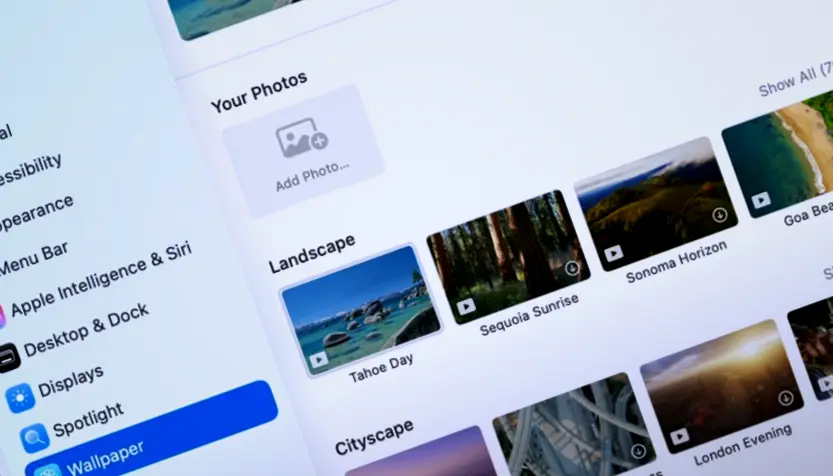
What's new in macOS Tahoe 26.2
For those who prefer waiting for a developer's update before jumping ship, the x.2 release is often considered the sweet spot. That’s because Apple has typically ironed out most of the kinks by then. So, this feels like a pretty solid time to consider upgrading if you've been putting it off since Tahoe launched.
One thing that everyone interested in macOS 26 was waiting for, specifically something related to Liquid Glass, is now properly addressed in version 26.2. Despite ongoing testing and feedback, the core change that enabled Liquid Glass appears to have finally arrived in this update.
Speaking of features, FaceTime got a noticeable boost with macOS 26.2. It now includes an illumination frame around your video window, sort of like a ring light effect. This helps improve image quality in dim environments and might even be usable outside the native Mac camera app itself. Additionally, Liquid Glass has undergone significant refinement, incorporating previously missing visual elements and enhancing the smoothness of animations.
Beyond those headline-grabbers, though, this update brings along with it several helpful refinements to existing Apple apps. The Podcasts app can now automatically generate chapter markers, making long episodes a bit easier to navigate. Freeform has gotten support for tables, letting you create more structured layouts within your digital sticky notes and boards. You can also tie Reminders directly into the Mac's built-in alarm clock so relevant items pop up at just the right time.
Another interesting addition is called Edge Light, designed specifically for video calls in low-light conditions. It uses your Mac display to project a virtual ring light around you. The cool thing is that you control how much of it shows, adjusting width and color temperature, and it even dims out when you need to focus on the content behind.
The Podcasts update keeps going, adding not just auto-chapters but also links directly to mentioned podcasts within the player interface or transcript view for easy discovery. Gamers should be pleased too: there are category filters in System Settings > Gaming now, alongside support for challenge score leaderboards showing when someone new breaks a record. And hey, native controller support is back.
While we're not talking huge leaps here, macOS 26.2 does include some interesting little tweaks and bug fixes across the system that add up to a better overall experience. For example, AirDrop now requires both sides to enter a code when swapping files with unknown contacts for an extra layer of confirmation. There are also direct links from Apple News sidebar stories in the News app taking you straight into related content areas like Sports or Politics.
Freeform gets another feature: tables that can hold text, pictures, documents, and even other Freeforms! Cells resize intelligently as you add items to your flowing canvas layout. This update is definitely music to the ears of many Mac users who rely on its flexible organization features daily.
Then there are those behind-the-scenes fixes, like ensuring pre-release library albums start playing right at their scheduled time without delay and making sure that AirDrop's verification process works correctly with codes entering properly between sender and receiver devices.
Additionally, iOS 26.2 and iPadOS 26.2 are now available, bringing some welcome updates.
What's new in iOS 26.2 and iPadOS 26.2
While development on Apple's Liquid Glass project seems to have hit pause for now, progress continued in other areas of the operating system itself. Users will find features like offline lyrics support in Apple Music and new WhatsApp integration coming online soon. There’s also more flexibility with Freeform tables; they can now mix different media types as part of your creations.
AirPods get a useful new feature too: live translation right from the device works when someone nearby starts speaking another language, letting you stay hands-free while chatting up a storm across borders or just navigating small talk. This update also handles connected controllers more smoothly than before and gives people better ways to customize what appears on their lock screen.
Accessibility got some attention as well, with new options like "Blink on Alerts" making things clearer for users who need it. That Freeform app is evolving too, now capable of resizing table cells automatically, handy when you're working across an infinite canvas trying to organize your ideas or data just right.
Finally, this isn't even a minor update; Apple also went back and fixed bugs that prevented pre-release albums from playing immediately after dropping on the service.


